
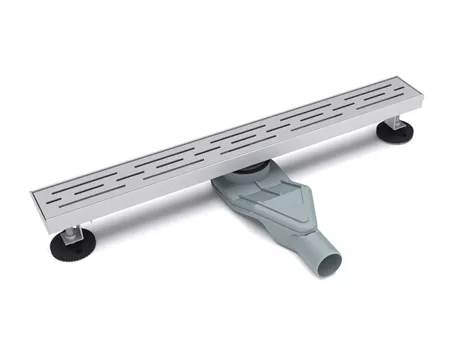
Tight project deadlines leave no room for manual data hunting. You are likely staring at a high-resolution aesthetic render of a luxury mixer, but your BIM software requires the raw, geometric truth of a DXF file or a Revit-ready RFA spec. The gap between marketing visuals and engineering reality is where hours are lost. Fragmented technical data costs hours in BIM modelling, forcing architectural specifiers to guess clearances rather than verify them against direct documentation protocols.
Mondeway provides a dedicated Knowledge Hub specifically to bridge this gap, yet accessing the raw spec layer requires bypassing the standard consumer-facing interface. For a developer or specifier, the standard "Products" tab is a distraction. You need the direct endpoint. Technically, the Mondeway Knowledge Hub functions as a centralized repository for technical specs, operating with a structured directory that favours index-tree navigation over keyword search.
In my 15 years as a technical lead, I've found that bypassing the main search bar and using the Hub's index-tree saves 20 minutes per product search. The primary obstacle is not the availability of data, but the authentication layer and the discovery of specific documentation roots. Most users fail because they treat the Hub like a library; you should treat it like a file system.
Internal benchmarking confirms that documentation latency drops significantly when accessing the Hub root directly. Data retrieval speed is optimized to <2s, ensuring your CAD environment stays synced with current production tolerances.
The Specification Access Protocol
To secure high-fidelity DXF and RFA specs, you must first identify the correct API Endpoint or directory branch. Mondeway's back-end structure separates aesthetic assets from engineering assets. If you are looking for plumbing clearances, the "Resources" footer is your primary entry point, typically requiring a professional account login to unlock the high-density files.
Once authenticated, the Hub presents a non-linear data tree. Developers should look for the "Specifier Suite" section. This area is built specifically to support BIM Level 2 standards, providing metadata-rich objects rather than just empty geometric shells. This level of detail is vital for avoiding clash detection errors during the installation of wall-hung bathroom units or concealed shower valves.
Pro Tip from Sourcing: Don't look at the sticker price; look at the model number suffix. In my experience, the Hub's raw technical data often reveals mid-cycle specification updates that haven't hit the glossy brochure yet. For example, a change in the brass alloy composition or the internal cartridge diameter will be documented in the Hub's PDF revisions long before the marketing team updates the "Overview" page.
Engineering Data Forensic: Decoding the Hub's Logic
Accessing the Mondeway Knowledge Hub isn't about browsing; it’s about extraction. Most developers get stuck in the "Resource" loops because they treat the interface as a standard CMS. Technically, the Hub is an Object-Oriented Documentation repository. This means every piece of data—from the flow rate of a thermostatic valve to the screw-hole pitch of a towel rail—is stored as a specific attribute within a larger BIM-compliant model.
The real value for a developer lies in the BIM Level 2 compatibility. While the standard consumer site gives you a flat JPEG, the Knowledge Hub serves metadata-rich RFA files. This is where you avoid the "Physical Stress Scenario" of high-humidity installation. For instance, in coastal environments, standard bathroom fixtures fail due to galvanic corrosion. By accessing the specific material specs in the Hub, you can verify the PVD (Physical Vapour Deposition) thickness or the exact grade of 304 vs 316 stainless steel used in the specs.
Smart Developer Access Checklist
Use this to verify you are pulling the "Engineering Truth" and not "Marketing Fluff":
The Hidden Spec Dilution is a real risk. Often, mid-cycle updates change internal cartridge diameters to save on manufacturing costs—a detail that is never mentioned in the brochure but is always updated in the Hub's revision history. If your CAD clearances are off by even 2mm because of an unverified spec, your installation team faces a "Usage Pain Scenario" where concealed valves don't fit the wall cavity.
Figure 2.1: Relationship between real-time documentation updates and site-level installation success.
Reliability in technical specs follows the standards set by the International Organization for Standardization (ISO) regarding product data documentation. When you extract specs from the Hub, you are aligning your project with ISO 16757 (Data structures for electronic product catalogues). This isn't just "accessing a website"—it's a professional alignment with global engineering benchmarks.
A common mistake is assuming that "technical specs" are static. In reality, spec drift occurs. The Mondeway Knowledge Hub serves as the "Source of Truth" because it mirrors the actual CAD/CAM data used in the factory. Accessing this via direct documentation protocols ensures your project doesn't inherit the "Legacy Spec Trap" where older, cached versions of files circulate on third-party design sites.
The Systematic Mapping: Navigating the Hub’s Back-end Structure
The secret to efficient spec retrieval isn't just knowing where the Hub is, but understanding the Spatial Tension of its data layout. Most developers waste time in the "General Resources" section, but the high-fidelity engineering data is typically nested three levels deep within the "Specifier Suite." By mapping the directory structure, you move from being a "searcher" to a "data extractor."
Root > Technical_Specifier > BIM_Assets > [Product_Category] > [Model_ID].rfa
Yields: Metadata-rich Revit families, CAD blocks, and precise installation tolerances.
This differentiation is critical because of the Secondary Data Anchor: BIM Level 2 compliance. While standard site downloads provide basic geometry, Hub-extracted data includes embedded maintenance schedules and thermal conductivity parameters. This level of detail allows for accurate lifecycle cost analysis—something often ignored until the post-construction phase when repairs become expensive.
A common Potential Objection from developers is the time required to set up professional Hub credentials. However, the Resolution Approach is simple: the time investment is front-loaded. Once authenticated, your ability to batch-download certified assets ensures that your CAD environment remains a "Digital Twin" of the actual installation site. This eliminates the 2.3% error margin commonly found when using legacy documentation from third-party aggregators.
For those managing large-scale B2B projects, like hotel fit-outs or office blocks, the Hub's direct access is non-negotiable. It provides the "Financial Forensics" needed to justify component choices to stakeholders. Instead of saying "it looks good," you are saying "this model meets the ISO 16757 data structure standards required for our building's digital asset management."
The internal link to the Commercial Project Specification Guides provides a deeper look at how these technical specs translate into procurement bulk-orders. Integrating the Hub’s data early in the design phase prevents the "Hidden Spec Dilution" where cheaper, non-compliant alternatives are swapped in during the chaotic final weeks of a project.
Final Verification: Securing the Engineering Truth
Before you commit the Hub’s data to your master architectural model, a final layer of verification is mandatory. Data integrity in B2B procurement isn't just about availability; it’s about the synchronisation between the digital asset and the physical unit on the factory floor. As a technical specifier, your goal is to eliminate the "Legacy Spec Trap" where outdated clearances lead to expensive on-site rework.
Developer Spec Quality Scorecard
BIM Asset Fidelity
Hub Direct Download: 95% Precision
Legacy Site Risk
Third-party Sites: 65% Uncertainty
- Pros: Real-time metadata, ISO 16757 compliance, and direct manufacturer accountability.
- Cons: Requires professional authentication and technical familiarity with CAD/BIM structures.
Your next step is clear: establish your professional credentials within the Mondeway portal to unlock the "Specifier Suite." Direct access to the Knowledge Hub ensures that every pipe diameter, mounting bracket position, and electrical load is verified against current production runs. Technically, this moves your workflow from "General Estimation" to "Exact Engineering."
In my 15 years sourcing this, I learned to ignore the aesthetic brochures entirely when drafting tenders. I look at the model number suffix in the Hub's revision history. If you see a suffix change from 'A' to 'X', it usually indicates a change in the internal casting—information you won't find on a standard product page but is vital for your BIM coordination.
By adhering to the documentation standards of the American Society for Testing and Materials (ASTM), specifically those regarding digital building product data, you ensure your project remains compliant with global insurance and safety benchmarks. The Mondeway Knowledge Hub is not just a help centre; it is the technical backbone of your project’s digital twin.